Initialization JavaScript Function for popup item in Oracle APEX
Last modified on October 2, 2026 • 1 min read • 138 wordsThis is a snippet code which generates a code snippet for a popup lov item generates the “Initialization JavaScript Function” attribute for a popup lov item in an Oracle APEX application
Installation:
Download code from https://github.com/patrickmonaco/gpmfactory
import and run gen_initjs.sql script Optionnaly: import rest module from ORDS_REST_DEMO_ujs_2023_09_13.sql
This tool relies on Oracle JQuery UI dialog features .
Usage:
Either from sql editor as:
select gen_initjs(<APPLICATION_ID>,<LOV_NAME>) from dual or by calling the rest module as:
https://xxxxxxxx.oraclecloudapps.com/ords/demo/ujs/lov/ <APPLICATION_ID>/<LOV_NAME>
Samples
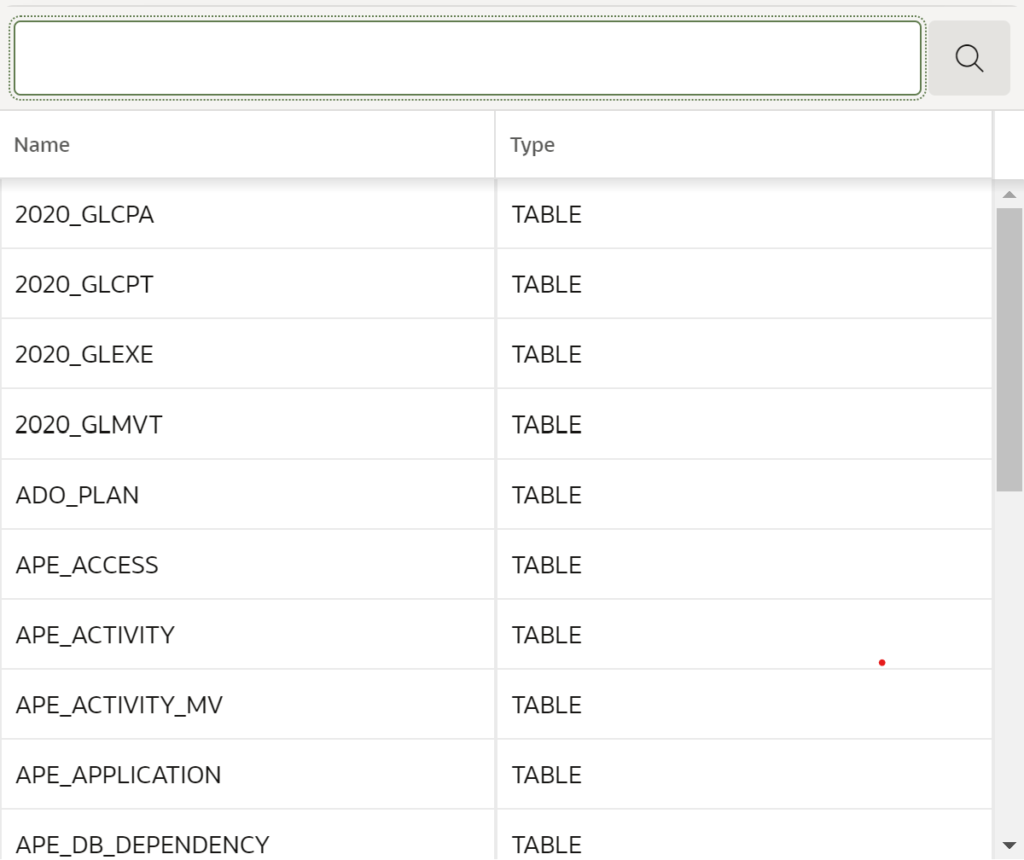 Without initialization code
 |
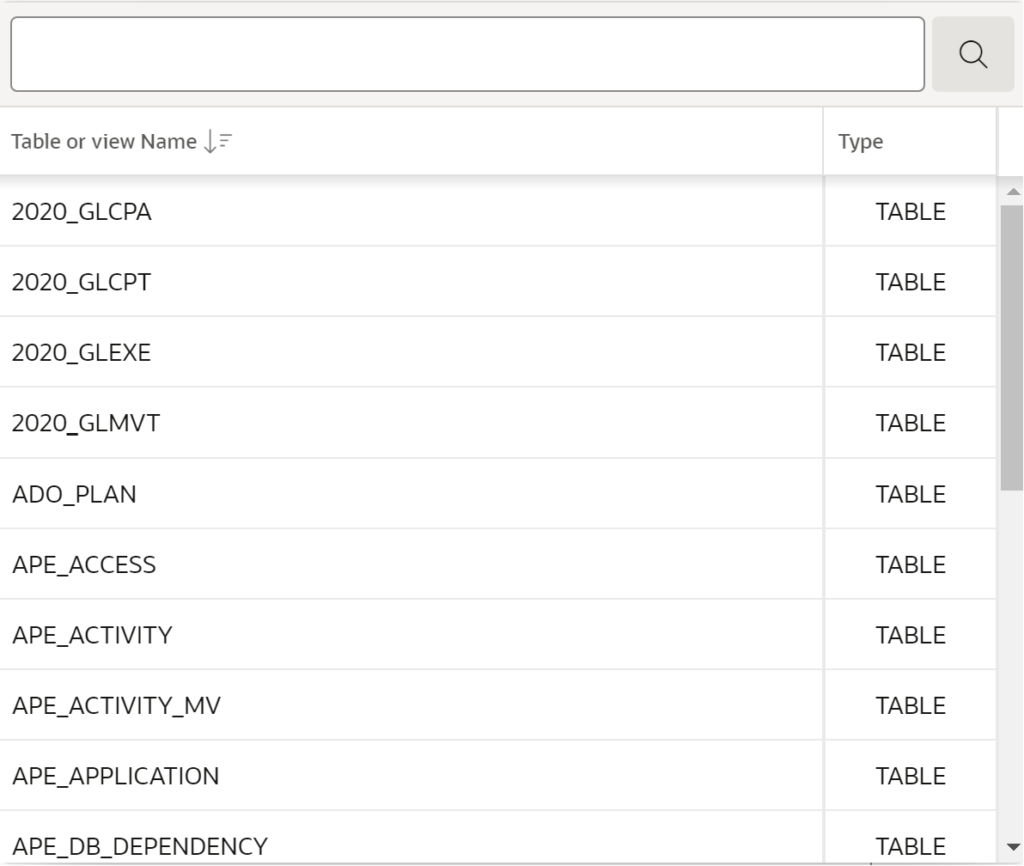 With initialization code
 |
|---|
Generated JS code
function(options) {
     options.defaultGridOptions = {
         columns: [{
             TABLE_NAME: {
                     heading: "Table or view Name",
                     width: 300,
                     alignment: "start",
                     headingAlignment: "start",
                     sortIndex: 1,
                     sortDirection: "desc",
                     canSort: true,
                     noStretch: true
                     },
             T: {
                     heading: "Type",
                     width: 100,
                     alignment: "center",
                     headingAlignment: "start",
                     canSort: true,
                     noStretch: true
                     }
         }]
     };
return options;
}